Turn the same activity into new goals
You do not need another watch or a new way to log workouts. If the fitness app paired with your watch writes supported activity to Google Health Connect, CrawlFit can turn those records into a separate game on your phone. Your existing watch app remains responsible for recording and syncing.
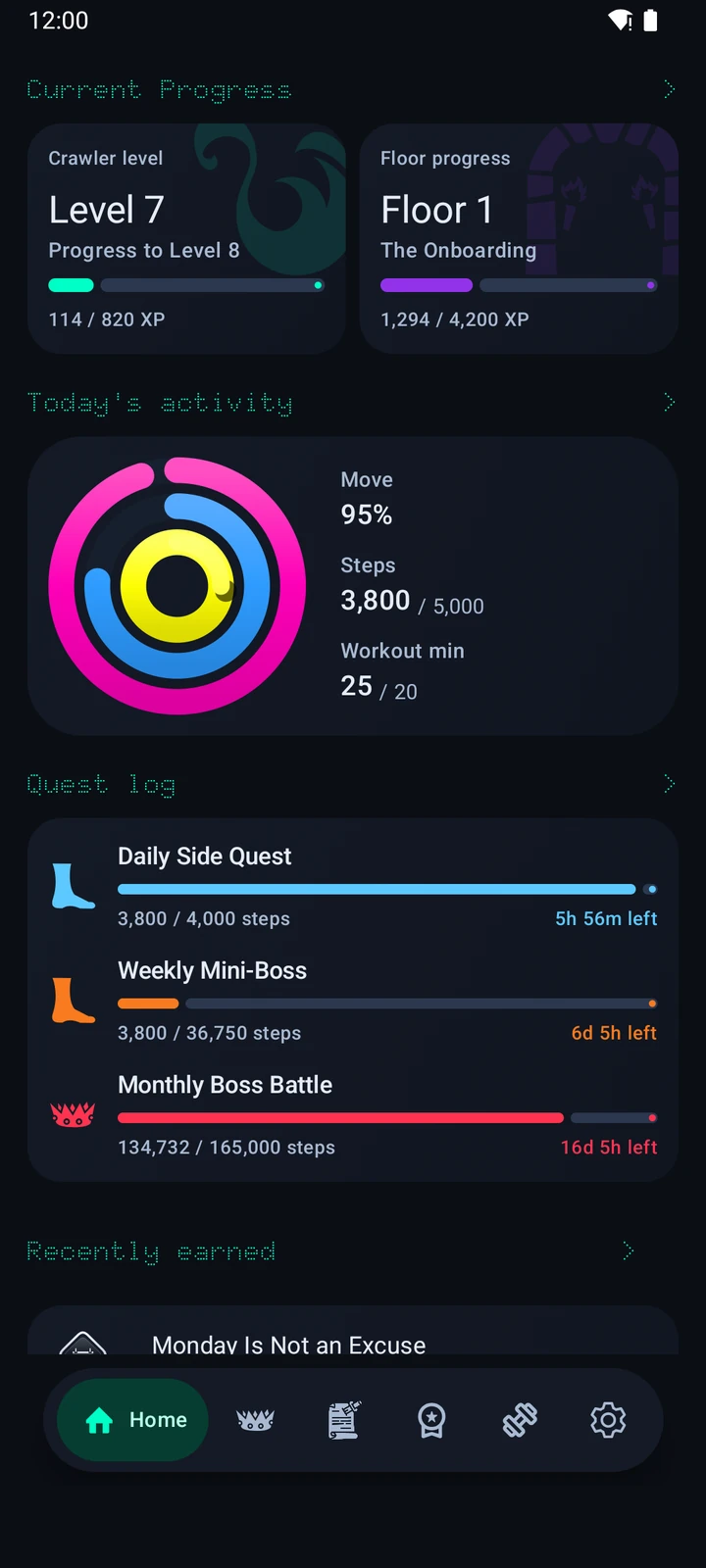
- Three daily rings: Move points, Steps and Workout minutes, with Easy, Normal and Hard goal profiles.
- Quests with deadlines: a daily Side Quest, weekly Mini-Boss and monthly Boss Battle sized to your recent activity.
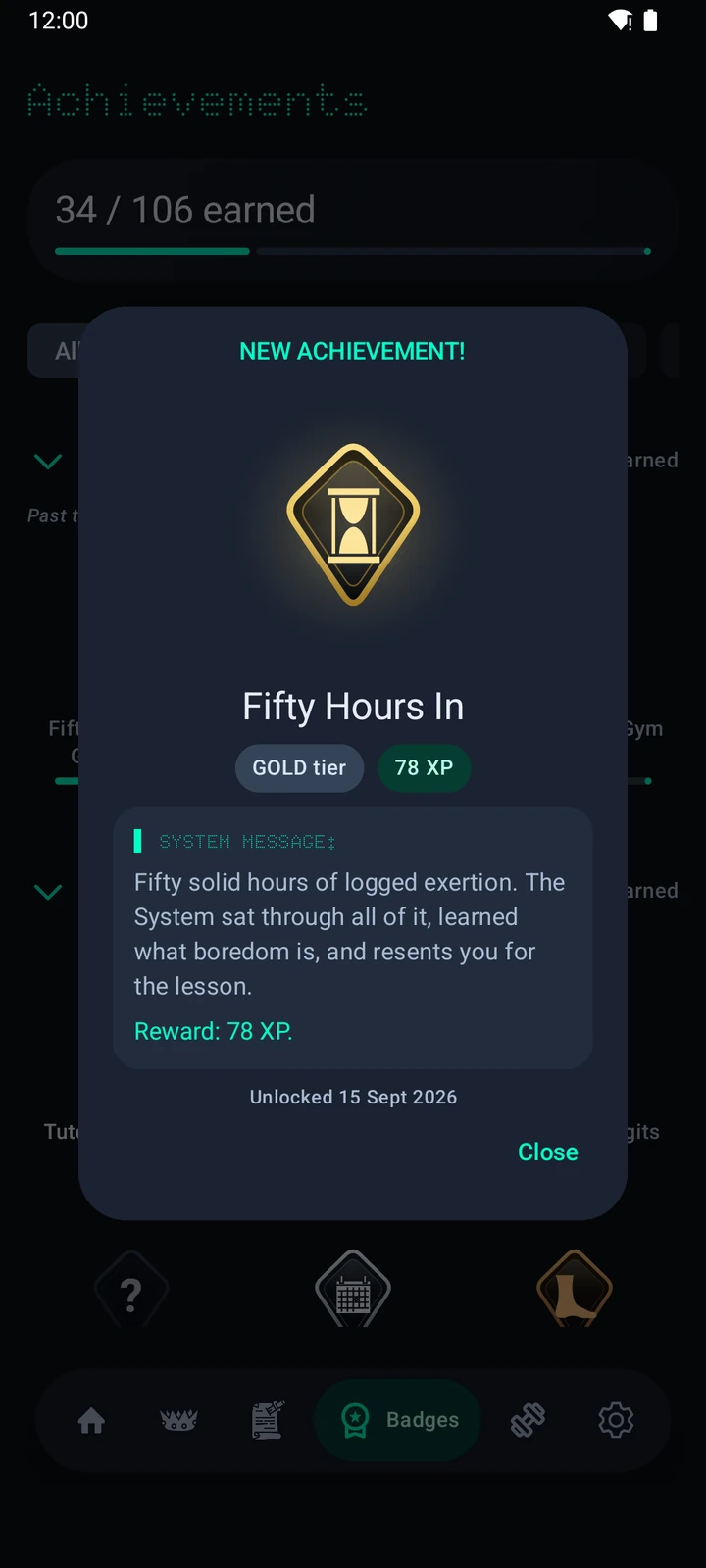
- Hidden achievements and medals: 100+ authored discoveries across Bronze, Silver, Gold, Platinum, Legendary and Celestial tiers.
- Progress that sticks: rings, quests and achievements award XP toward your Crawler level and floor climb. Missing a day never removes XP.
In other words, a walk can be more than a step count. It can close a ring, finish a quest or reveal a medal you did not know you were working toward.
Missing Apple Watch achievements after moving to Android?
If you miss having a reason to close a ring or earn a fitness medal, CrawlFit offers a new collection to work toward on Android. Keep the tracker you use now, then give its supported activity another job: progressing through a dungeon full of quests and hidden achievements.
This is a different game, not a copy of Apple's awards. CrawlFit does not import Apple Fitness medals, preserve Apple Watch streaks, or connect directly to an Apple Watch. Its Move ring measures Move points, not Apple's calorie goal. You need an Android phone and activity reaching Health Connect.
What might an ordinary walk do?
Once your fitness app shares the records, the steps can advance your Steps ring and a matching step quest. If the walk is recorded and shared as an exercise session, it can also contribute Workout minutes. Achievements unlock when their individual requirements are met; XP then builds your Crawler progression. A missing day does not take away XP you have already earned.
How watch data reaches CrawlFit
Watch → its fitness app → Health Connect → CrawlFit. CrawlFit does not pair directly with a watch, read a proprietary watch cloud or install as a watch face. On Android 10 or newer, connect your tracker’s fitness app to Health Connect, then give CrawlFit read access. Phone-recorded activity can work too.
The current app reads Steps, Distance, Exercise sessions and Speed when those records are available. A watch name alone does not guarantee compatibility: check whether its companion app actually shares the supported records with Health Connect. For Samsung Health, Garmin Connect, Fitbit, Pixel Watch, Mi Fitness, Zepp and other ecosystems, that connection is the deciding step.
Follow the connection checklist or fix missing activity.
Will it work with my Galaxy Watch, Pixel Watch or other tracker?
Check the records, not just the logo. Sync your watch with its companion app, then open Health Connect and look for recent steps or exercise sessions from that app. Give CrawlFit permission to read those records and run its connection check. If your activity never reaches Health Connect, CrawlFit cannot retrieve it directly from the watch. Available record types can differ by service and device.
Do I need a Wear OS app or watch face?
No. CrawlFit's rings, quests and medal collection are on your Android phone. It is not a Wear OS watch face or an on-watch workout recorder, and it does not replace your existing fitness app.
Not another generic badge counter
CrawlFit combines short-term goals with discoveries that take longer. Daily rings give you a clear next step, adaptive quests respond to your recent baseline, and hidden achievements make an ordinary workout feel like progress in a larger campaign. The fictional System supplies dry commentary, but the movement and rewards come from your real activity.
Looking for a Dungeon Crawler Carl (DCC) fitness app? CrawlFit is inspired by the series and independently made for dungeon-crawler fans. It is not an official app and is not affiliated with or endorsed by the series or its creators. The System is an authored game narrator, not a live AI fitness coach.
Start with the watch you already use
- Check that your fitness app writes steps or exercise sessions to Health Connect.
- Install CrawlFit on your Android phone and grant its requested read access.
- Complete the in-app connection check; permission alone does not prove that activity is flowing.
- Choose a goal profile and let your next walk or workout count toward the crawl.
CrawlFit has no account or ads. Activity and game progress stay on your device; optional save files go to a folder you choose. Crash and sync diagnostics are enabled by default and can be disabled in Settings. Read the privacy policy for details on diagnostics and backups.
Available on Google Play for compatible Android phones.